Finance
تمام 👌 دي الترجمة الإنجليزية بصياغة احترافية ومنظمة:
Accounts Section
We will begin with the first screen under the Accounts section:
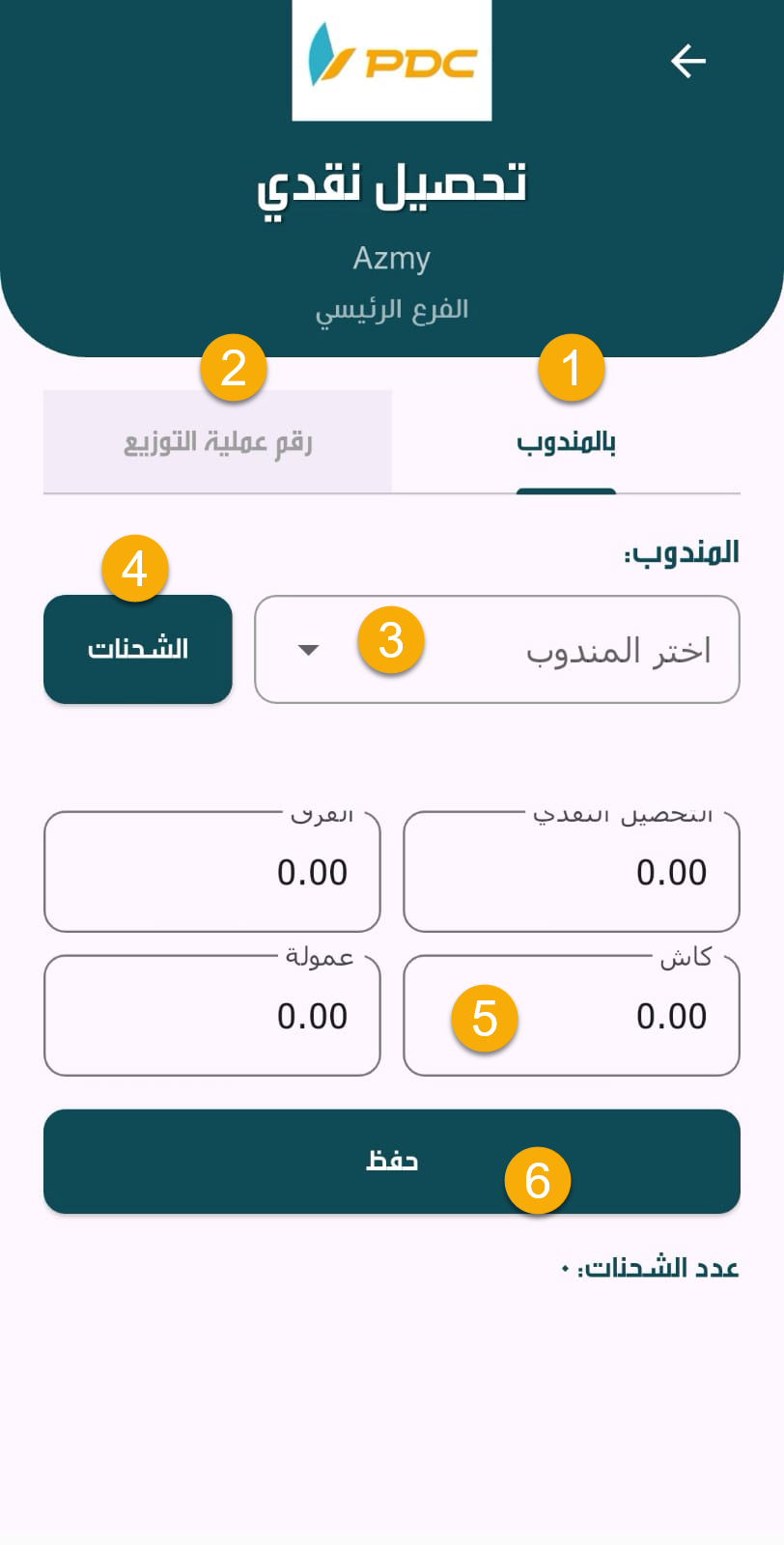
Cash Collection Screen
The Cash Collection screen is used to collect cash amounts from couriers for the shipments they have successfully delivered.
The screen is divided into two main sections:
- Courier
- Distribution Operation Number
Courier Section
In this section, cash is collected directly from the courier by following these steps:
-
Select the Courier.
-
Click on the Shipments button.
-
The system will display the shipments for which cash must be collected from the courier.
-
The system shows:
- The Total Amount to be Collected
- The Courier Commission
After that, the employee enters the received cash amount in the Cash field until the difference becomes zero.
Finally:
- Click Save
- Then confirm the Posting process
This completes and officially records the cash collection transaction in the system.